Skip to content
FIKRNET

Our Work

Ideas We've Brought to Life.

Websites, apps, and software built around an idea.

Featured Work

Ideas We've Brought to Life.

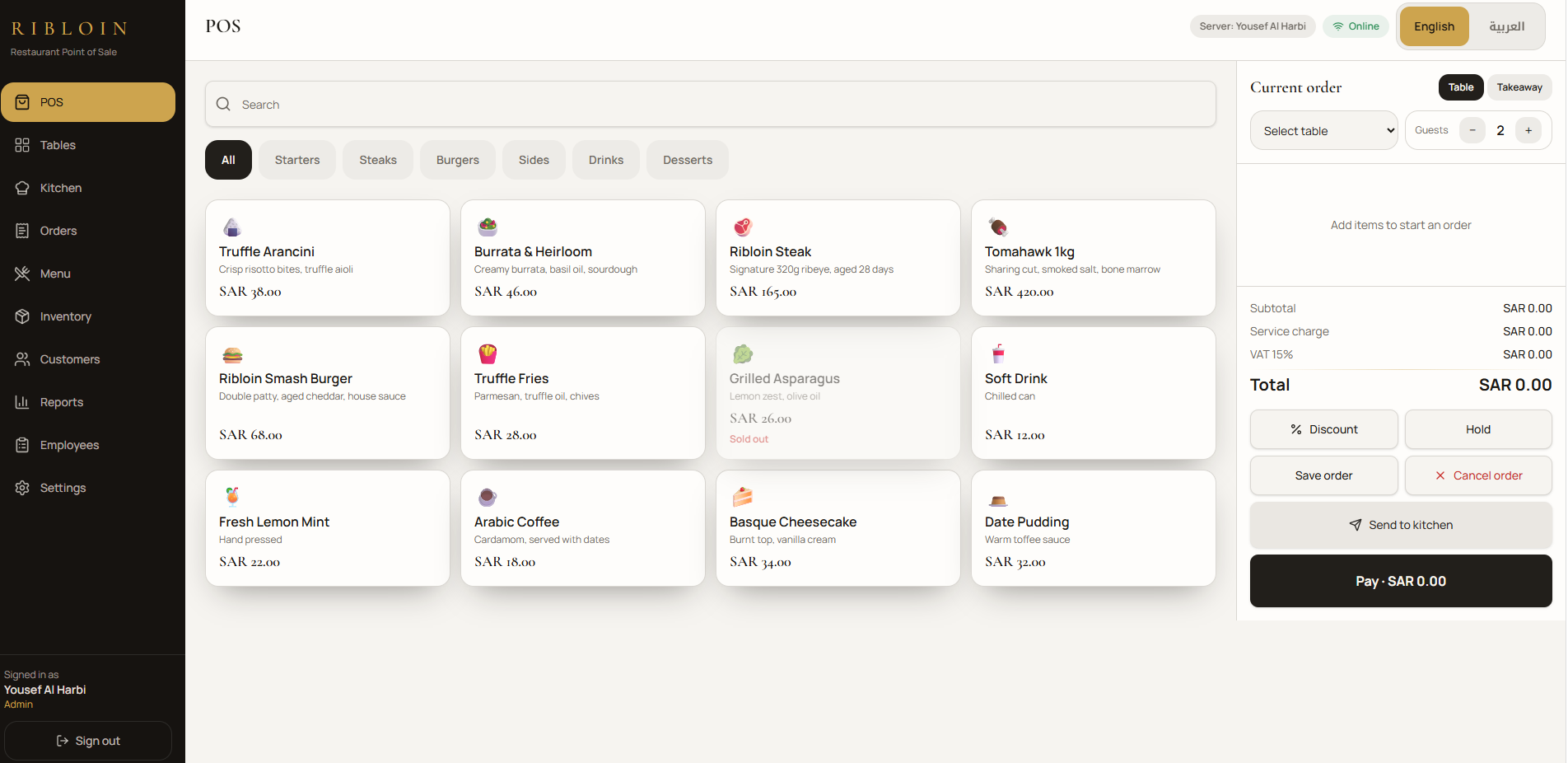
POINT OF SALE SYSTEM — photo 1
1 / 6

CUSTOM DEVELOPMENT

POINT OF SALE SYSTEM

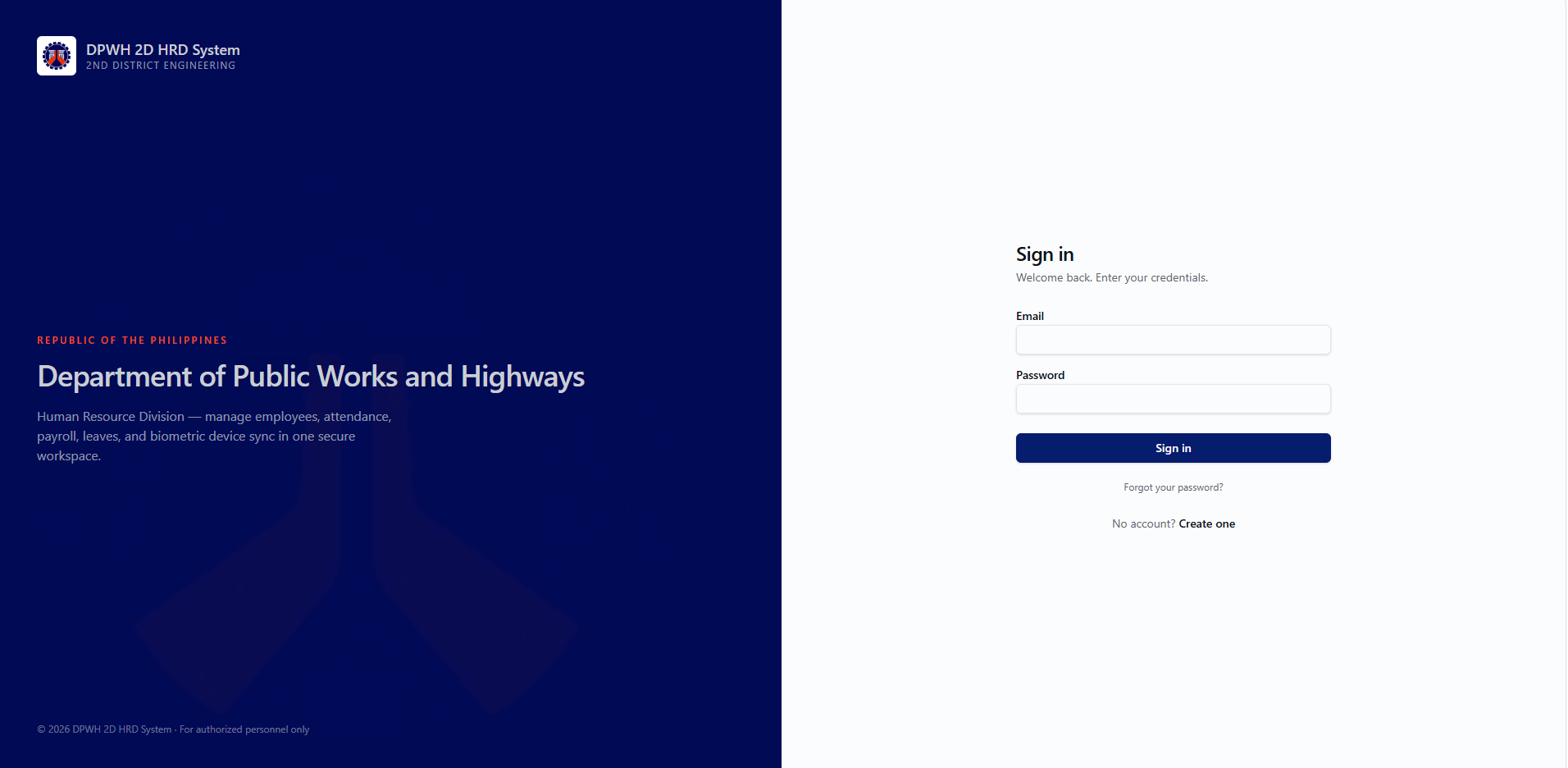
Signing in
Login page with username/email, password, show/hide, remember me, forgot password, and role-based access (admin, manager, cashier, waiter, kitchen )
Full English/العربية support everywhere, with proper right-to-left layout when Arabic is selected
Ordering (main POS)
Touchscreen menu with categories, search, bilingual item names, availability, modifiers/add-ons, variations, and item notes
Live cart with quantity controls, discounts, VAT, service charge, tip, and running totals
Hold order, send to kitchen, save, cancel, and pay — designed for iPad-sized touch targets
Tables
Visual table map with available/occupied/reserved status, guest count, current total, and assigned server
Open, reserve, move, merge, split bills, and transfer orders between tables
Kitchen display
Dedicated kitchen screen with New / Preparing / Ready / Completed columns, order details, notes, and timers
Payments & e-invoices
Cash, card, and split payments with amount received and change due
Every completed sale generates a unique invoice with a QR code linked to a mobile-friendly digital invoice page
ZATCA-style QR payload structure, ready for Saudi e-invoicing expansion
Printing (Epson TM-m30II)
Settings → Printers page: add, discover, test, rename, set default, remove printers, and see live status (connected/connecting/offline/error/printing)
Auto-print receipts and kitchen tickets after payment, configurable width, font, logo, header/footer, copies, and QR size
If a printer is offline the sale is never lost — retry print or print later from Orders
Back office
Menu management (categories, items, prices, bilingual names/descriptions, modifiers, tax)
Inventory (ingredients, stock levels, low-stock alerts, adjustments, suppliers)
Customers (order history, total spend, loyalty points, notes)
Reports (today's sales, orders, average order value, best sellers, payment breakdown, sales by category/employee, VAT collected)
Employees & permissions per role, plus restaurant settings (VAT number, currency, tax rate, security, notifications)
Reliability
Works offline: orders are kept locally, status is shown clearly, and unsent orders sync automatically when the connection returns — no duplicate orders or lost sales
Booking Station — photo 1
1 / 2

CUSTOM DEVELOPMENT

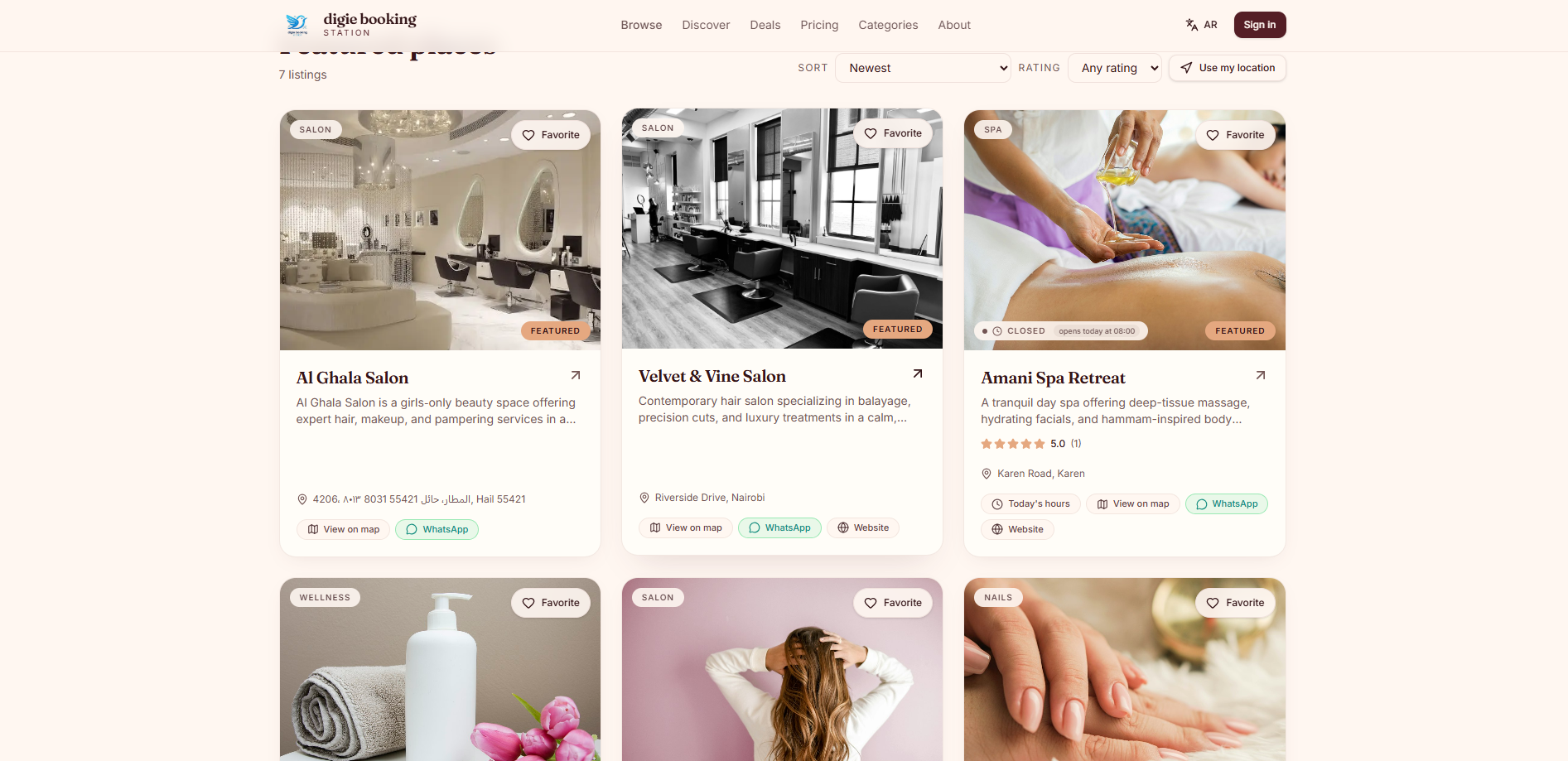
Booking Station

Customer Features
Store discovery — browse salons with search, category/location filters (saved in the URL so you can share filtered results), and a map view
Booking — pick a service, staff member, date, and time; your name and phone prefill from your profile
Favorites — bookmark stores and view them in a dedicated favorites page
Account area — booking history, invoices with line-item and tax breakdown, PDF downloads, and a print-friendly layout
PWA — installable on phone home screens, works offline with cached pages, mobile-optimized throughout
Store Owner Features
Store management — services, staff, categories, deals, and store details
Booking calendar — manage bookings, mark no-shows (auto-emails the customer), and complete bookings (auto-sends the customer a receipt email with the invoice PDF attached)
WhatsApp automation — customer messaging, controlled by admin permissions
ZATCA e-invoicing — Saudi tax compliance settings and invoice generation
Subscription billing — Starter (SAR 50), Basic (SAR 120), Pro (SAR 150) plans with monthly/annual toggle, Paddle checkout, billing portal, invoices page, prorated upgrades/downgrades, and cancellation with an access-until countdown on the dashboard
Admin Features
Analytics dashboards — KPIs, loyalty metrics, per-store analytics drill-downs, and tax views, all with date-range pickers, search, and filters
Anomaly alerts — configurable thresholds per metric, event scanning with progress tracking, acknowledgment/severity/resolution workflow, and full audit logging
Scheduled KPI email reports — per-admin subscriptions with chosen metrics, frequency, and recipients, plus preview and test-send tools
CSV exports — events, audit logs, analytics tables, and chart data
Role-based permissions — granular control over who can view, rescan, export, or manage each admin area
Platform & Legal
Privacy Policy, Terms of Service, and Refund Policy pages with notices on signup and checkout
Email/password authentication (Google sign-in currently disabled)
DigieHR — photo 1
1 / 4

CUSTOM DEVELOPMENT

DigieHR

People & Organization
Employee records (201 file): personal info, contacts, government IDs, employment history, service records
Organizational chart and branch/department management
Employee photo storage
User Management with account activation — new signups stay locked until an admin activates them, with an email notification on activation
Role-based access (super admin, admin, HR, manager, employee) with a Role Audit Log
Time & Attendance
ZKTeco ProFace X integration: live biometric punch capture via ADMS/iClock protocol
Device management page with handshake diagnostics and a "Pull & rebuild DTR" action
Device Raw Traffic monitor showing every device request/response and parse status
Automated DTR (Daily Time Record) generation from punches
Automatic 1-hour lunch break deduction (12:00 PM–1:00 PM), shown as Break Out/Break In columns
Late, undertime, and overtime computation
Attendance monitoring dashboard
Payroll & Compensation
Payroll computation with per-employee toggles for SSS, PhilHealth, HDMF (Pag-IBIG), and Tax
Configurable Payroll Rules page: contribution tables, tax brackets, multipliers, DPWH allowances
Itemized payslips with DPWH-branded PDF download (header + logo)
Allowances and deductions management
Reports
Attendance reports with PDF/CSV export including department and job title
Employees see only their own data; HR/admin see everyone
DTR reports
Communication
Memos with "Draft with DigieHR" — AI-assisted memo drafting (HR/admin)
Announcements/notifications
Account & Self-Service
Employee dashboard, own payslips, own DTR/attendance view
Profile management
Setup & Admin
ZKTeco Devices, Device Raw Traffic, User Management, Role Audit Log (admin-only, hidden from HR)
Payroll Rules configuration

Have a Project in Mind?

Let's Build Your Idea

Have an Idea? Let's Make It Real.

Your next big idea deserves the right technology partner. Tell us what you're imagining, and let's explore how FIKRNET can bring it to life.